Mealtimes, sorted
For households where the dog has learned to look hungry at everyone, and the cat swears nobody fed her.
One tap to say "fed"
Mark a meal as fed from the Today list, your Apple Watch or the reminder itself. Undo it with a swipe.
Reminders that know
A nudge when each meal is due, but only if nobody has fed them yet. Once someone has, everyone else's phones stay quiet.
Shared with the household
Invite family, flatmates or the pet-sitter with iCloud sharing. Every feed records who did it and when.
Any routine
Breakfast and dinner, a lunchtime top-up, a daily tablet or a nine o'clock treat. Each pet gets its own mealtimes.
On your wrist
See what's due and tick it off from your Apple Watch, without hunting for your phone with a scoop in hand.
Every kind of pet
Dogs, cats, rabbits, fish, tortoises and more, each with a photo or an emoji so you can tell them apart at a glance.
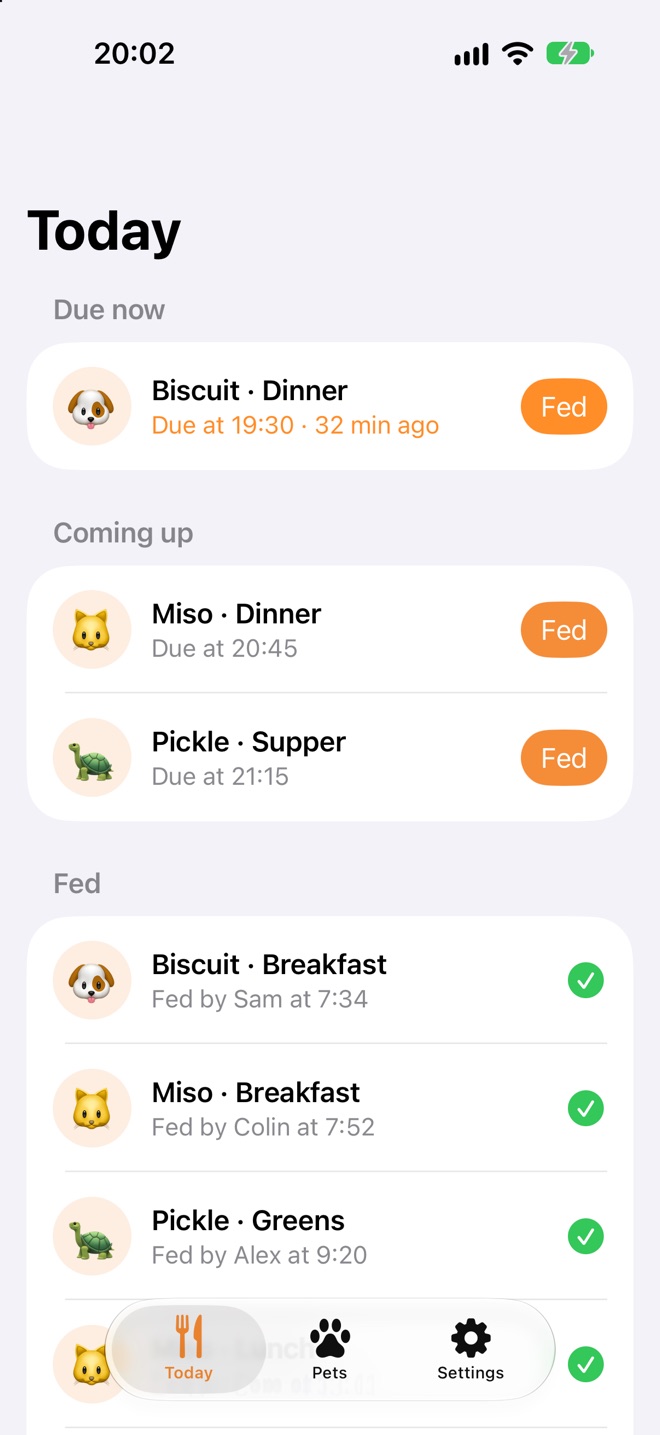
Today, at a glance
Every pet's meals for the day in one list, sorted by what needs doing. Anything late shows how long it's been waiting.
Due now Coming up Fed by Sam at 7:34
 🐱 Miso: Dinner now
Dinner is due for Miso. Mark it as fed once you're done.
No more double dinners
When a meal is due, everyone gets a reminder. Tap Mark as Fed right from the notification, and it syncs to everyone else's phones so their reminders are cleared too.
If someone already fed them, you won't hear a thing.
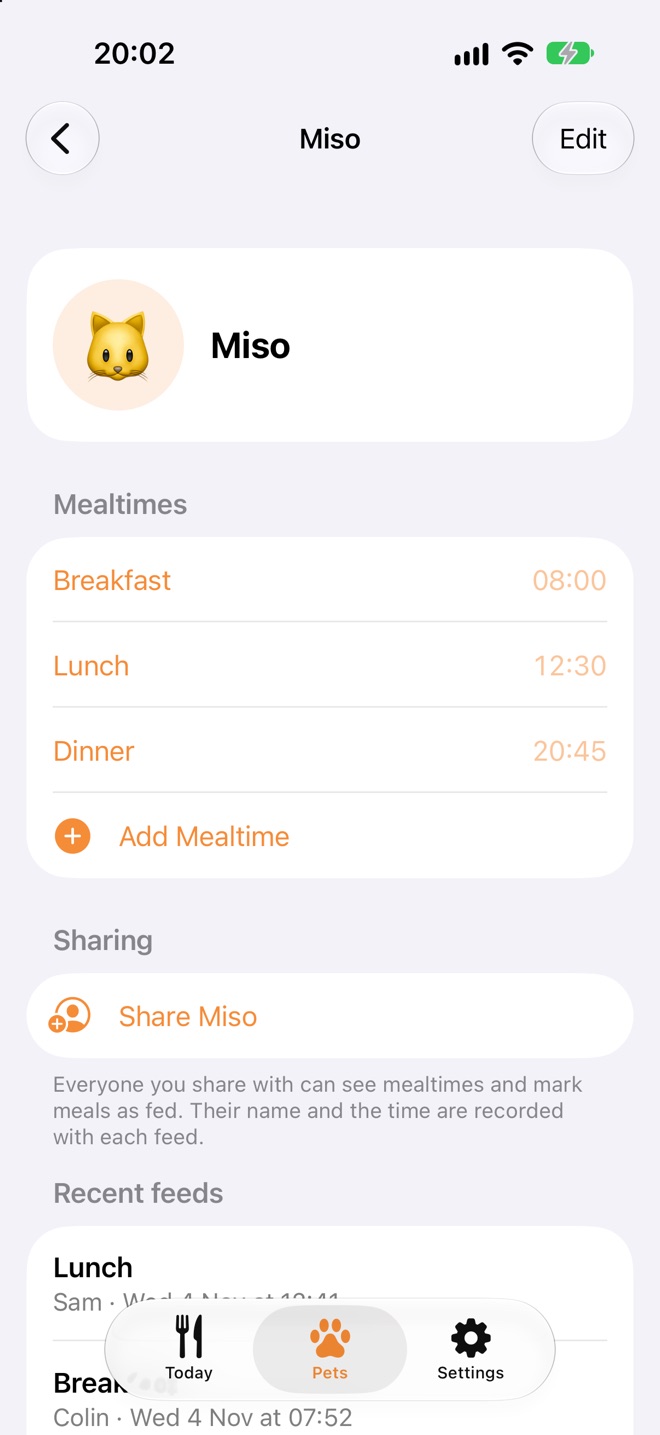
Share a pet, share the job
Share each pet with whoever helps look after them. They see the same mealtimes and can mark meals as fed, and the history shows who did what.
Going away? Share with the pet-sitter for the week, and check in on how it's going.
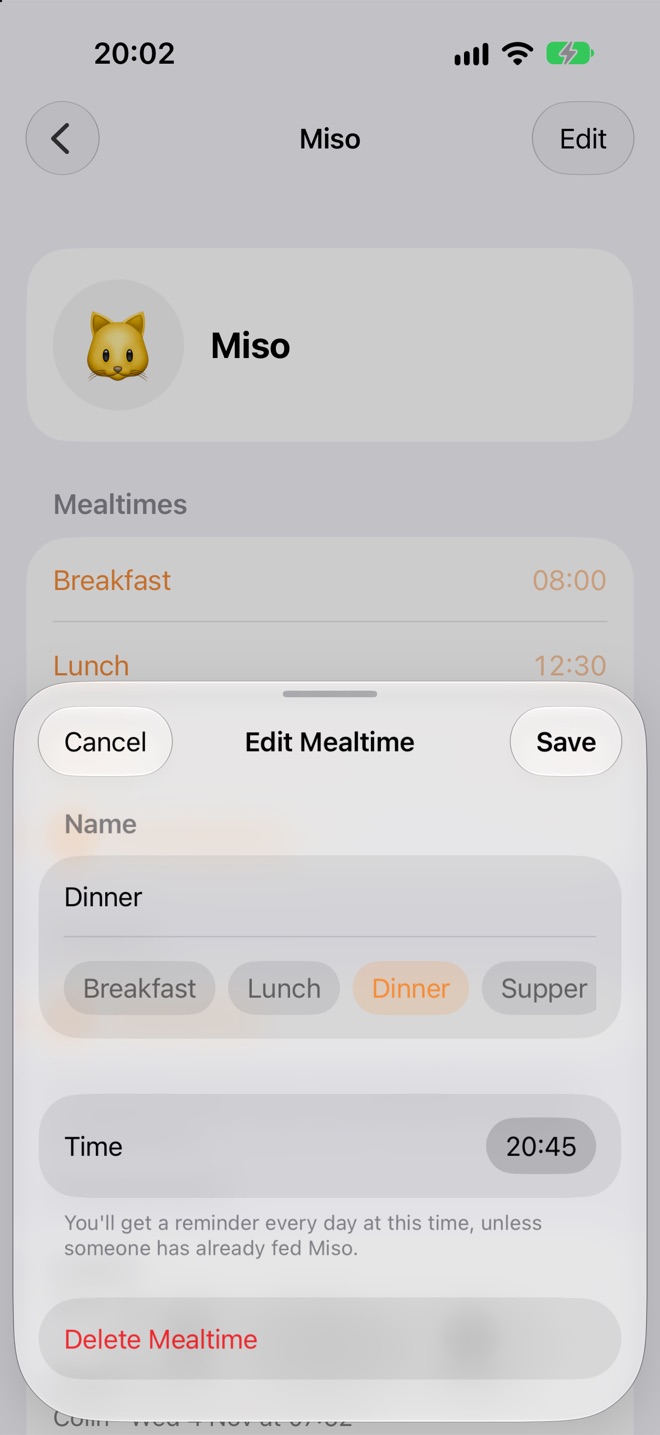
Set it once
Add a mealtime with a name and a time, and Bowlful takes it from there, every day. Pick from Breakfast, Lunch, Dinner, Treat or Medication, or call it whatever your household calls it.
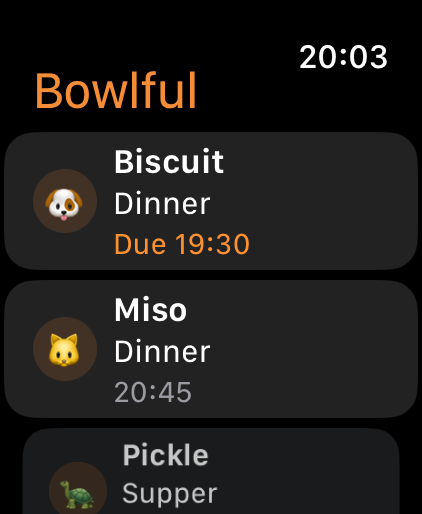
Hands full? Use your wrist
Bowlful on Apple Watch shows today's meals with what's due at the top. Tap one and mark it as fed before you've even put the bowl down.
Private by design
Your pets and their mealtimes live in your own iCloud account and nowhere else. We can't see them, and we don't want to.